Features / Device information
How to find the Android version, API level, build number and properties
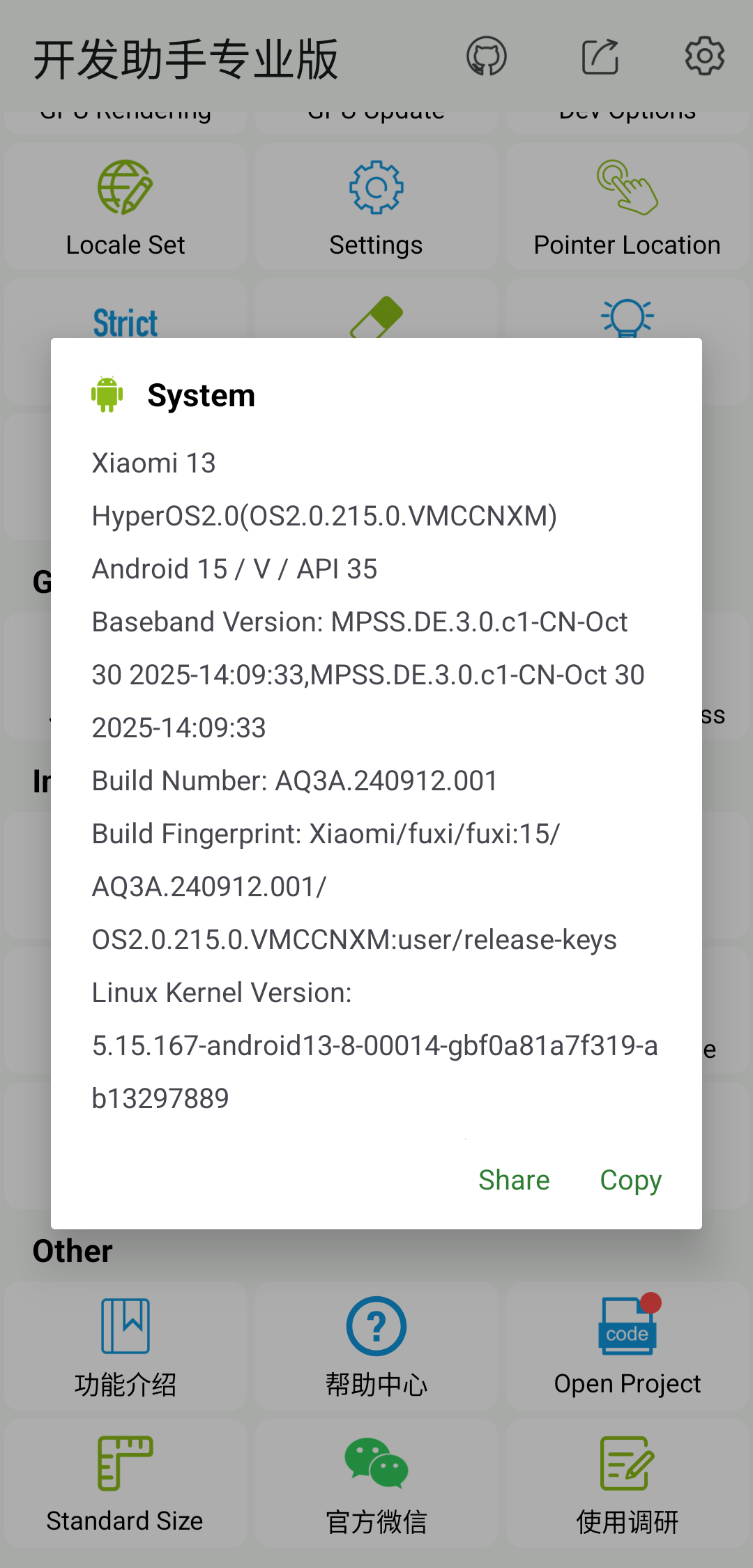
In the Dev Tools App, open System under Information for the Android version and API level. Use Properties for a named system value and Virtual Machine for Java runtime details.
1. Record the release and the build
In System, copy the Android version, API level, build number and build fingerprint. Add kernel and baseband when relevant and available. Phones on the same Android release can be running different builds.
2. Look up a property by name
For example, search Properties for ro.build.version.sdk and compare it with the API level in System. Virtual Machine can show the VM version, Java home, class path and available boot class path.
3. Label the environment in one line
One captured Xiaomi 17 ran Android 16, API 36, build BP2A.250605.031.A3. When comparing before and after a system update, keep the build number and fingerprint from each run. Record a blank field as it appears.