Features / App information
How to find an Android app’s package name and version
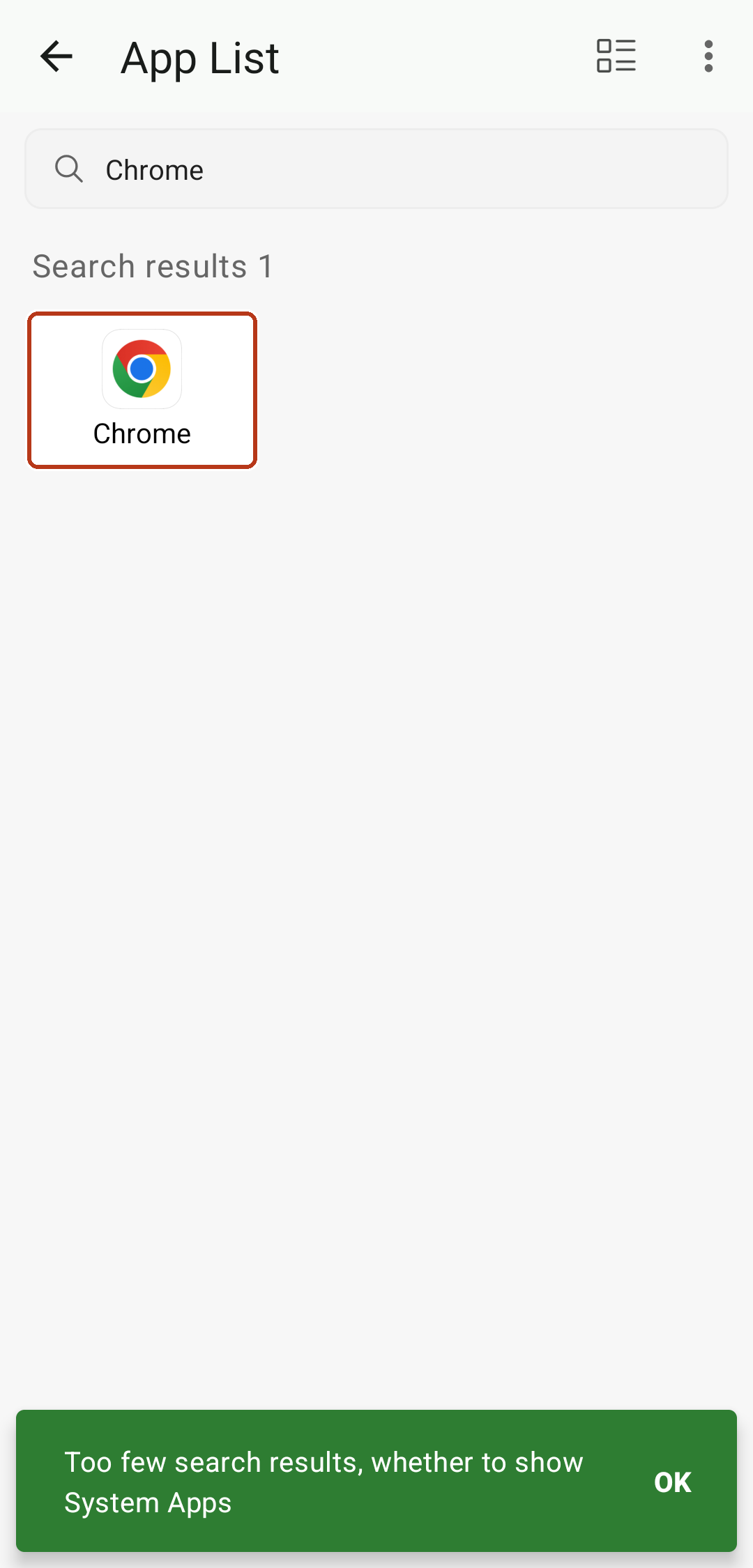
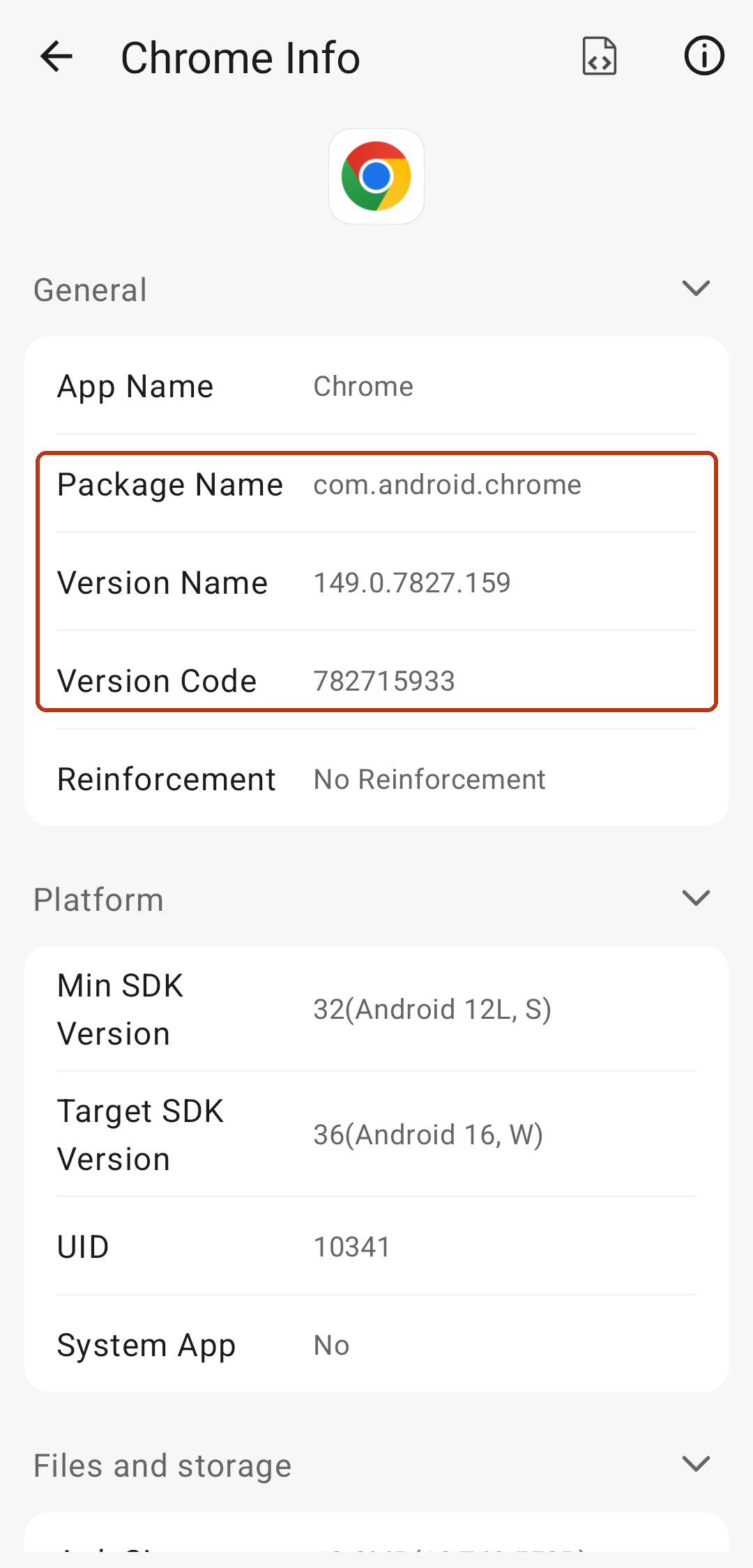
Open App Info in the Dev Tools App, search for Chrome and tap the result to see its package name and version. The stable Android release of Chrome uses the package name com.android.chrome.
1. Open Chrome’s app details
- 1.1On the Dev Tools home screen, tap App Info in the App section.
- 1.2Search for Chrome by name. If Chrome came preinstalled and the search is empty, turn on Show System App and search again.
- 1.3Tap Chrome. Under General, look for Package Name, Version Name and Version Code.
2. Identify the installed build
- Package name
- Identifies the app on Android. Chrome’s stable release keeps the same ID,
com.android.chrome, across updates. - Version name (versionName)
- The version label people see. The phone in the screenshot shows
149.0.7827.159. Your phone may have a different version installed. - Version code (versionCode)
- Android uses this integer to tell which build of an app is newer. Two builds can share a version name and have different version codes.
3. Include the build in a bug report
Include all three values on one line so the developer can match your report to a build. For the phone shown here, that line would read “Chrome, package com.android.chrome, version 149.0.7827.159, version code 782715933.”