Use cases / Sports training
Run eight rounds of 20 seconds of exercise and 10 seconds of rest
In the New Second App, choose the Interval training example from Item timers. It alternates Exercise and Rest and advances through all eight rounds automatically.
1. Check which setting repeats
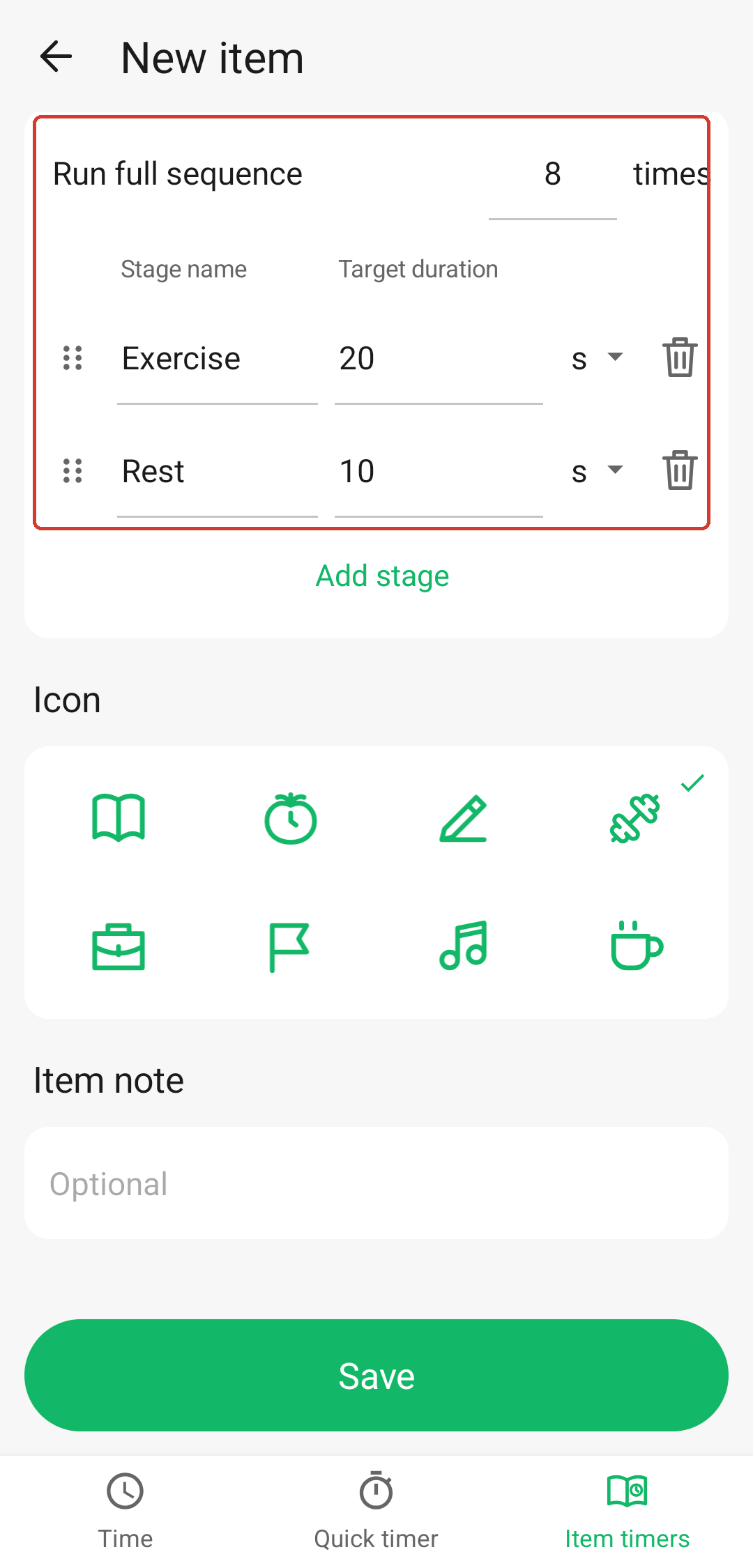
Open Interval settings. Set Exercise to 20 seconds and Rest to 10 seconds. Set Run full sequence to 8 times, then save. Each round covers both stages.
2. Follow the first two changes
Start the timer. At 0:20 the first rest begins. At 0:30 the second exercise interval begins. If you want an audible cue, check the item’s reminder and media volume before starting.
3. Know where the four minutes go
The eighth exercise interval ends at 3:50. Let the last rest run to 4:00 for a complete session. Open the saved record to inspect the rounds. Stopping at 3:50 leaves the last rest unfinished.