Use cases / Files and everyday development
Find an error in a JSONL log on an Android phone
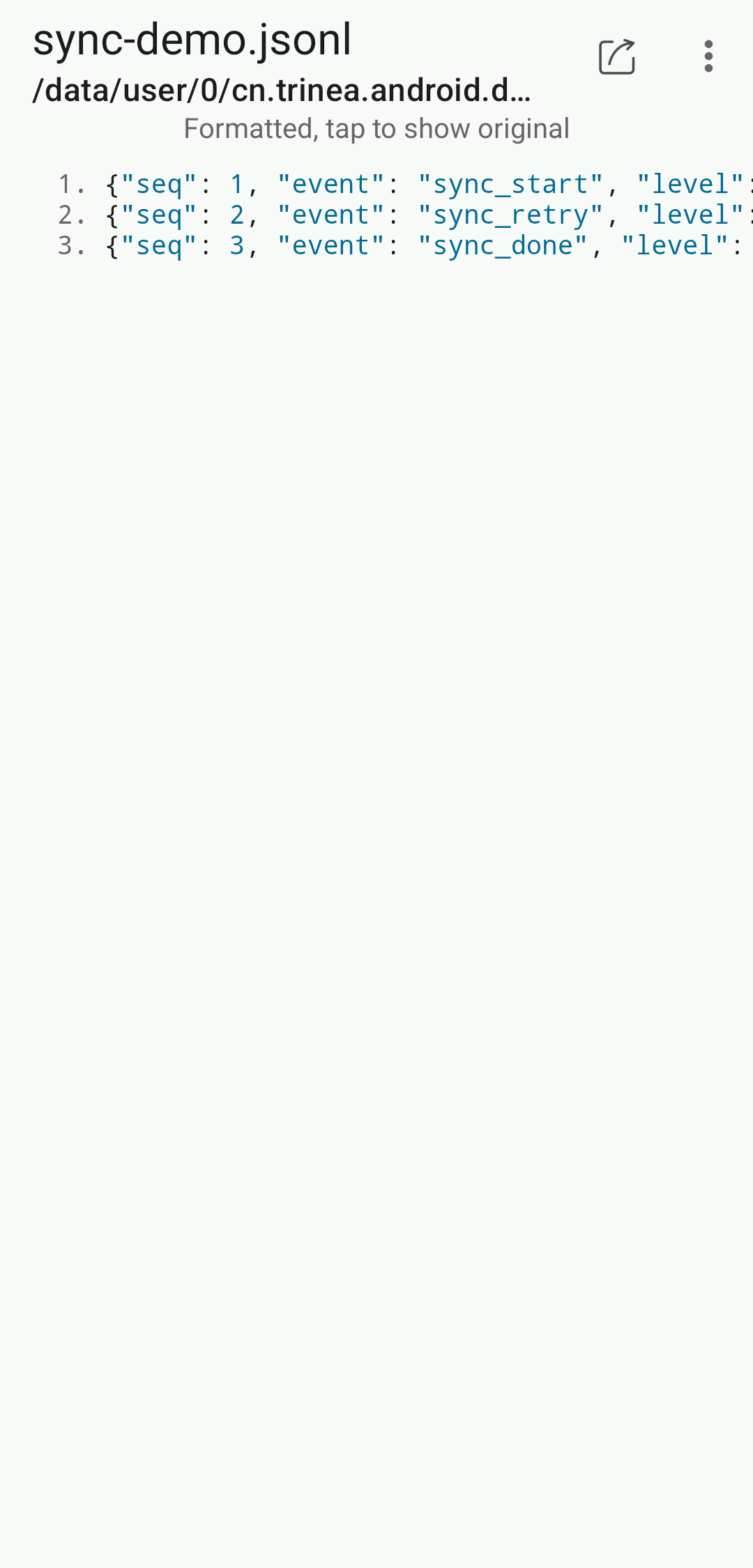
Save the log on your phone and use your file manager to open it with the Dev Tools App. Find the error level, then switch back to the raw file to confirm the line number. In the example below, the error is on line 2.
1. Start with a three-line sample
Download the sample JSONL log, or save the following as UTF-8 text named sync-demo.jsonl. Each line contains one JSON object.
{"seq":1,"event":"sync_start","level":"INFO"}
{"seq":2,"event":"sync_retry","level":"ERROR","code":"E_TIMEOUT"}
{"seq":3,"event":"sync_done","level":"INFO"}
2. Find the event and verify it in the original
- 2.1Select the file viewer in Android’s Open with chooser. In the formatted view, search for
ERROR. The matching event issync_retry, with codeE_TIMEOUT. - 2.2Switch back to the original and turn on line numbers. JSONL formatting keeps each record on one physical line. A narrow screen may wrap one record over several display lines. Read the original line number and check the
seqfield. - 2.3A missing quote or brace in a JSON object can make the viewer fall back to the original. Search the raw text for the code and read the neighboring records.
3. Send a precise finding
For this sample, report “sync-demo.jsonl, line 2, seq=2, sync_retry, E_TIMEOUT. Previous event: sync_start. Next event: sync_done.” The log shows a retry marked ERROR followed by a completion event. Establishing why the retry occurred requires the actual request log.